How it works
From one design
to the whole set.
Nine steps, from your designer's artwork to the numbers afterwards. Every banner below belongs to an invented brand.
01 Designers
Designers design. NORTA does the rest.
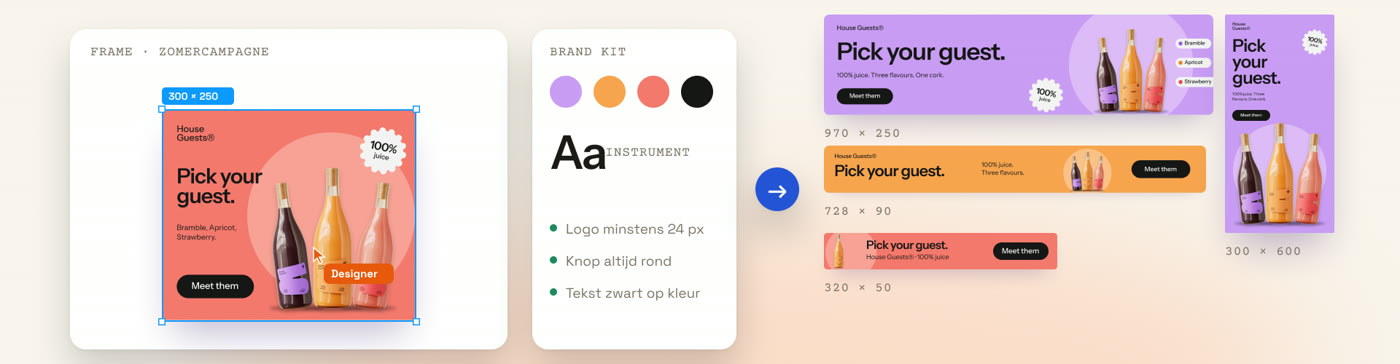
Design one banner. NORTA makes every other format and keeps your design as the starting point - nothing is reinvented, only reset.
02 Connect Figma
Connect once.
Connect your Figma account once. NORTA reads your file and turns it into a brand kit you review first and apply after. Read-only, and you can revoke it at any time.
03 Reading a design
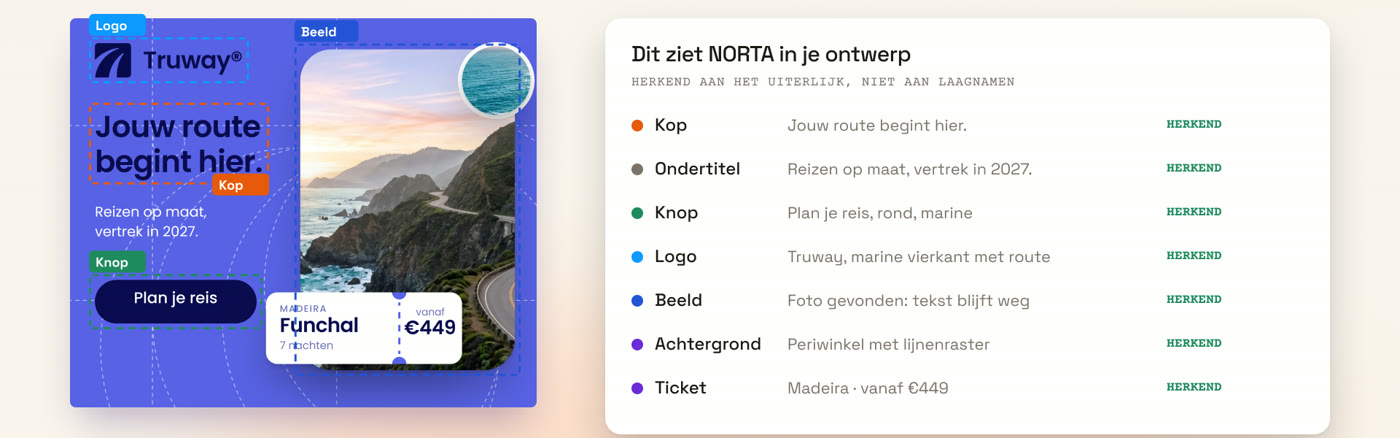
NORTA reads your design.
Headline, subtitle, button, logo, image, background. Recognised by how they look, not by layer names - so it works on a file nobody tidied up.
04 Making
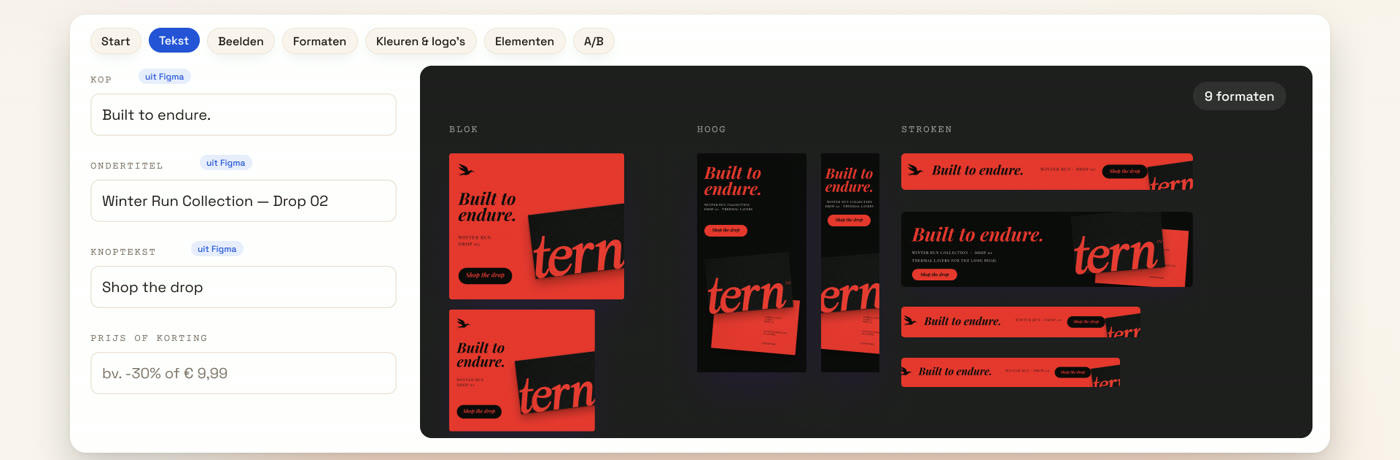
Text and image. Every format.
Fill in the headline, the subtitle and the button text once. Pick your formats. What comes back is the complete set, not a first draft.
05 Brand
Your brand, always right.
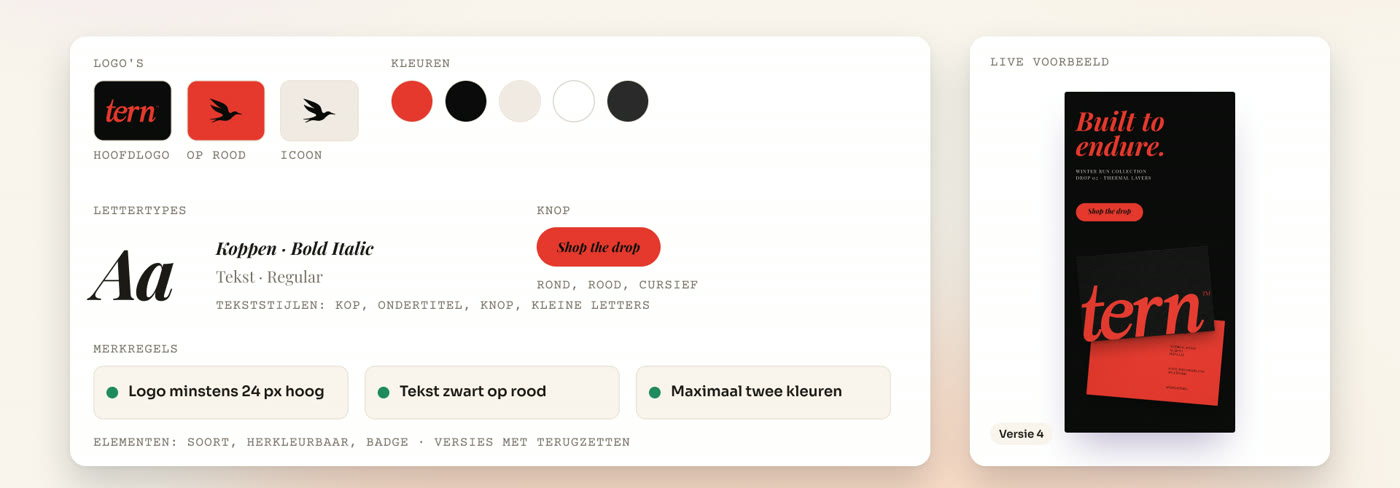
Logos, colours, typefaces and brand rules live in one kit. Every campaign reads from that kit, so one correction carries through everything that follows - not nothing.
06 Placement
Placed with intent.
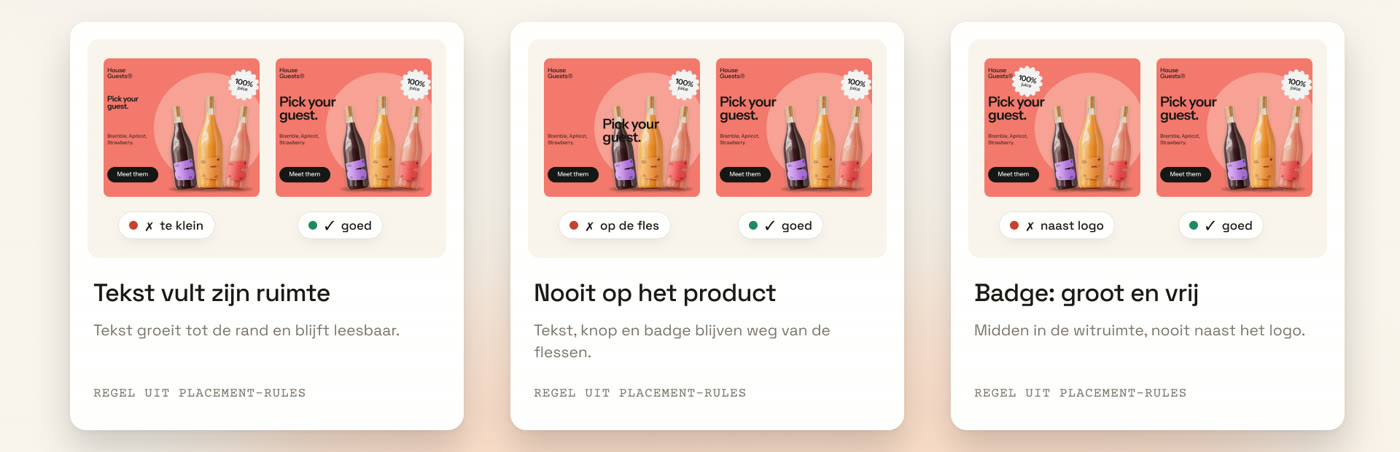
No guesswork: every banner follows the same placement rules. Text fills its space, stays off the product, and the badge sits large and clear in the white space.
07 Adjusting
Adjust it yourself, if you want.
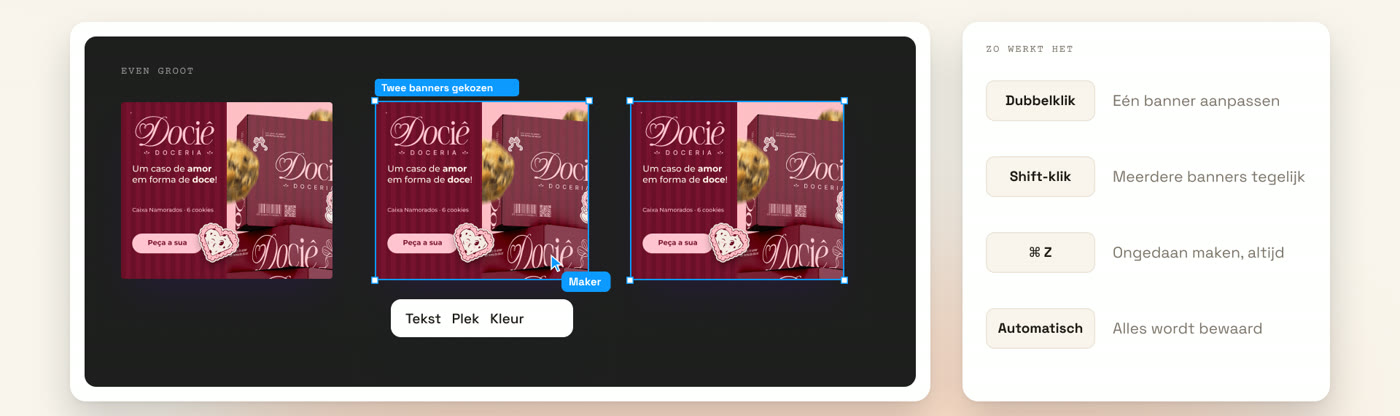
Double-click to change one banner, shift-click to change several at once. Undo always works and everything is saved.
08 Reviewing
Approve together.
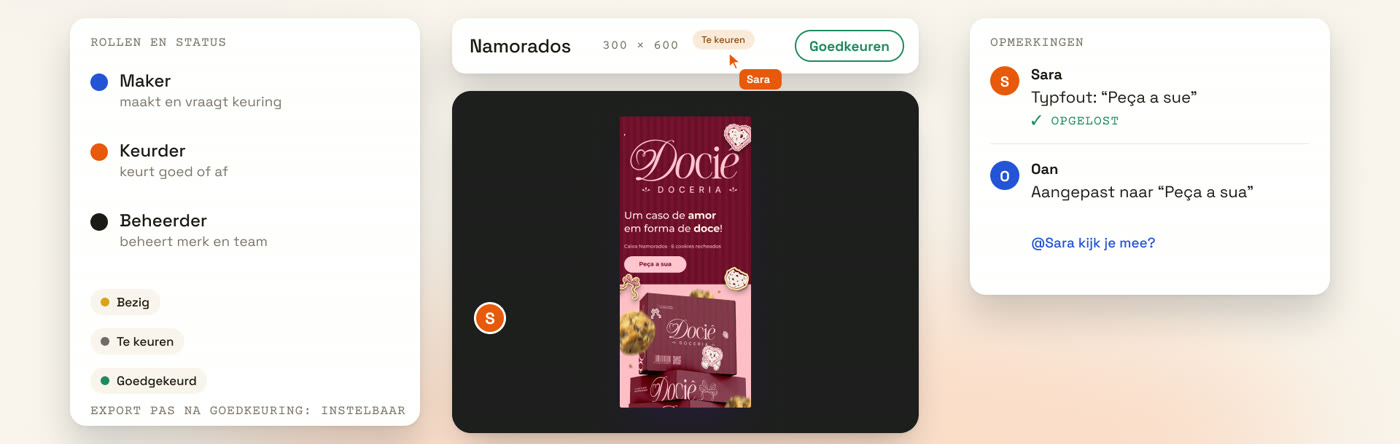
The maker asks, the reviewer decides. Comments sit on the banner itself, not in an email chain - and everyone is looking at the same version.
09 Results
Don't guess. Know.
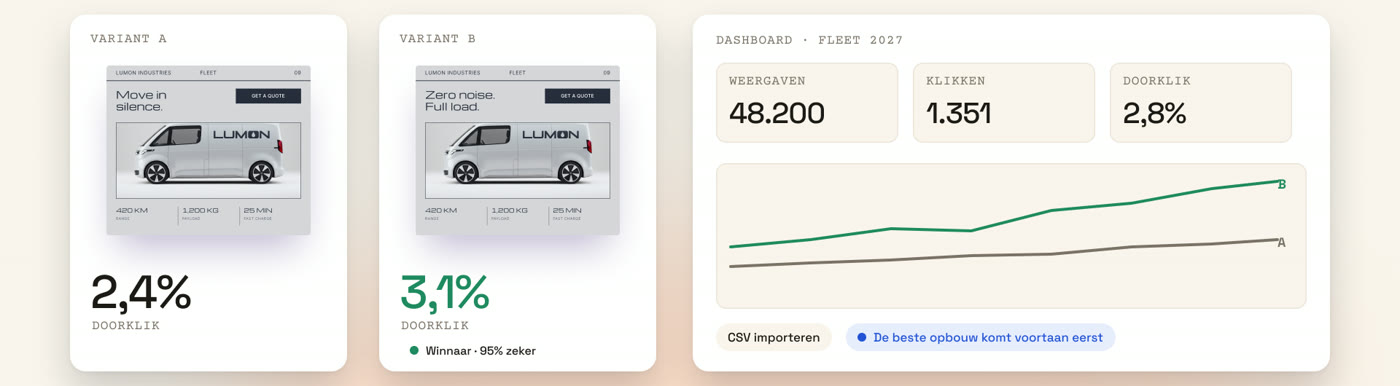
Test two variants side by side. NORTA shows the winner and puts the better composition first from then on.
10 Demo
See what it does for your brand?
Leave your details and we'll schedule a twenty-minute demo - with your own brand, in your own formats.